


How to Check the Co-ordinates in Minecraft?

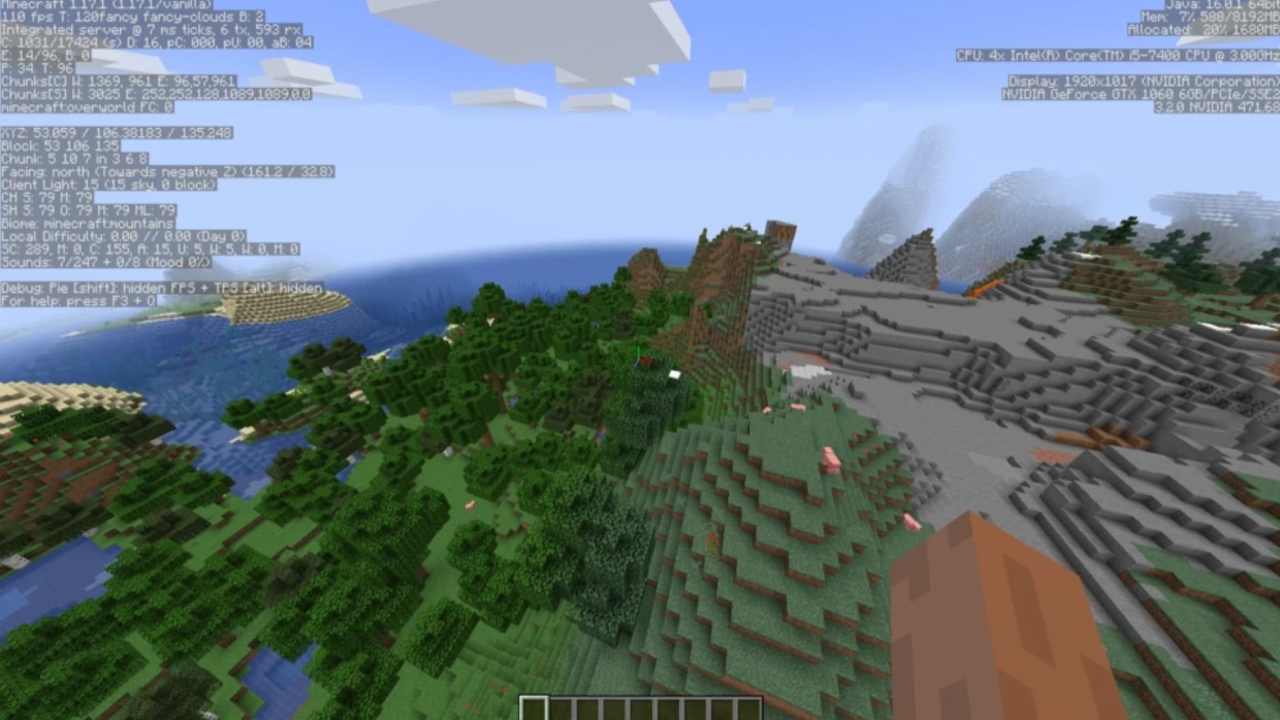
How to Check the Co-Ordinates in Minecraft? It varies from different versions and platforms for the game. Let us look at all of them.
Co-ordinates are an essential part of knowing the way around the world. In most cases, knowing co-ordinates can get you to specific mining places where you can obtain rare items. In other cases, you can use it to know where the spawn point/ your settlement is.
A lot of people do not know how to find co-ordinates in Minecraft. Let us look at how you can find co-ordinates in Minecraft for all consoles.
Also Read: How to Tame a Fox in Minecraft
How to Check the Co-ordinates in Minecraft?
Note: X- axis is for East and West directions, Z is for North and South, while Y is for High and Low points.
For PC and Mac Versions
Firstly, go to the Options menu and enable the Full Debug screen. This will make sure your co-ordinates appear on-screen successfully. After that, you can view your co-ordinates anytime by pressing F3. In the case of MAC users, Alt+F+F3 works; alternatively, you can also use Fn+F3.
For Pocket Edition
For the pocket edition, you will need to enable cheats. To do that, go to the world’s menu and flip the switch to enable. Note that you shouldn’t be in creative mode for this. Now, after entering the world you want, go to the command console and type “/tp ~ ~ ~.” This will let you see the co-ordinates.
Also Read: Top 5 Useful Minecraft Tools including Torch and Shovel
For Console Versions
Now, for the console versions, it is the simplest since the co-ordinates are given by default. Just take a look at the top left of your screen. Even the X, Y, and Z co-ordinates are labeled, so it is easier for you to find a way around the world.
Why would you need Co-Ordinates?
There are many reasons to study your co-ordinates. It can tell you where specific mobs spawn or where you can find certain rare items. It can help you in navigation a lot as everything in the Minecraft world is routed around co-ordinates.
About the author


-

Ripan Majumdar •
The Upcoming Dragon Ball: Sparking! ZERO Witnesses a Sharp Rise in Interest, Partly Due to Akira Toriyama’s Demise
-

Ripan Majumdar •
Developers Applaud GDC 2024 for Giving Them a Platform to “Say What They Need to Say”
-
Ripan Majumdar •
EA FC 24 Secret Stuff Evolution: Steps to Get an Almost Endgame Card in EA FC 24
-

Ripan Majumdar •
Valorant’s Newest Agent Clove Can Steal Their Enemy’s Life Force and Rise From the Dead
-

Ripan Majumdar •
Nintendo Faces Tough Criticism After Sending a Copyright Strike to NoahJ for 7-Year-Old Modded Pokémon Video
-

Ripan Majumdar •
Fans Draw The Last of Us Parallels as Ashley Johnson Finds Her Way Into the Among Us Universe