


LOUD aaspas Valorant Settings (2023): Crosshair, Configuration, Keybinds and Sensitivity!

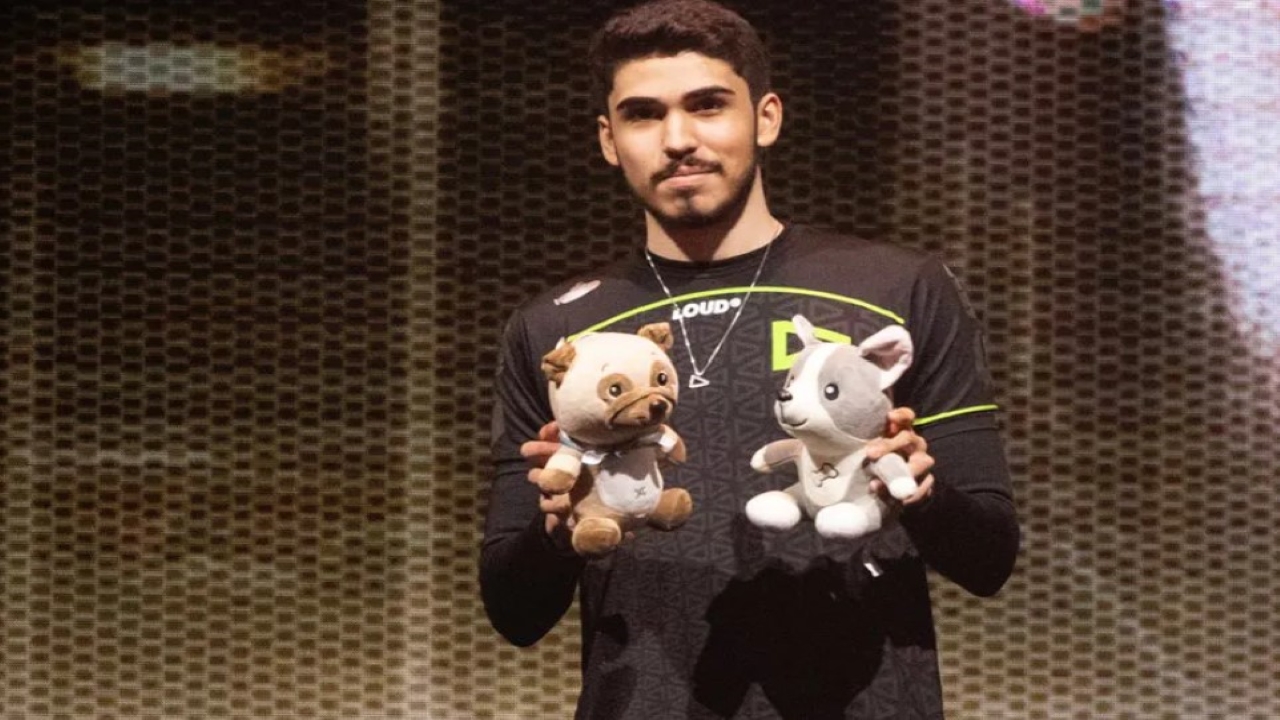
LOUD aaspas is one of the best Valorant players in the world currently. Today we will look at what makes him the most feared Jett.
aaspas was instrumental in LOUD’s victory against NRG recently. The match was the best Valorant match we have seen this year. With both teams giving it their all in Overtime for the third map, something had to give. We saw aaspas lead his team to victory supported by cauanzin and tuyz. However, today we will look at the Valorant settings for Brazil’s top duelist.
Also Read: LOUD Saadhak Valorant Settings (2023): Crosshair, Configuration, Keybinds and Sensitivity!
LOUD aaspas Valorant Settings: The Best Jett in the World?
Crosshair
Code: 0;P;c;5;o;1;d;1;z;3;f;0;0b;0;1b;0
- Color: Cyan
- Outlines: Off
- Center Dot: off
- Inner Lines: On 1/4/2/0
- Movement Error: Off
- Firing Error: Off
- Outer Lines: Off
LOUD’s performance is still as consistent as when Pancada and Sacy were on the team. LOUD has replaced Optic as the most consistent team; which is saying something. Aaspas should get a lot of credit for this consistency.
Mouse Sensitivity
- DPI: 800
- Sensitivity: 0.4
- Zoom Sensitivity: 1
- Windows Sensitivity: 6
- Raw Input Buffer: Unknown
The lower sensitivity helps with stability which is the opposite of aaspas’s playstyle. His flicky and quick playstyle is designed for a high sensitivity but he makes it work for him.
Keybinds
- Walk: L-Shift
- Crouch: L-Ctrl
- Jump: Spacebar
- Use Object: F
- Primary Weapon: 1
- Secondary Weapon: 2
- Melee Weapon: 3
- Spike: 4
- Ability 1: E
- Ability 2: Q
- Ability 3: C
- Ultimate: X
Video Settings
Aaspas previously played on a higher resolution but switched to a lower one to get more frames. A duelist needs to see every pixel in every frame properly. That is why a higher FPS count is the key to fragging consistently. We recommend staying on a relatively lower resolution so you can get a higher FPS.
- Resolution: 1280×960
- Aspect Ratio Method: Letterbox
- Display Mode: Fullscreen
- Multithreaded Rendering: On
- Material Quality: Low
- Texture Quality: Low
- Detail Quality: Low
- UI Quality: Low
- Vignette: Off
- VSync: Off
- Anisotropic Filtering: 1x
- Improve Clarity: Off
- Bloom: Off
- Distortion: Off
- Cast Shadows: Off
- Anti-Aliasing: None
Those are all the settings that make aaspas the most feared duelist in VCT. You can experiment around with his sensitivity and settings to see what makes him tick. For more crosshair and Valorant settings content, stick around at The SportsRush!
Also Read: Nivera Valorant Settings (2023): Crosshair, Configuration, Keybinds and Sensitivity!
About the author


-

Adnan Juzar Kachwala •
Evil Geniuses (EG) Reveal Their Valorant Roster for VCT 2024
-
Ripan Majumdar •
FIFA 23 Romelu Lukaku TOTS SBC: Ratings, challenges & more
-
Aaryanshi Mohan •
“What the f**k is this s**t, man?”: xQc fumes after failing to make Minecraft speedrun record
-

Adnan Juzar Kachwala •
With GTA 6 Introducing its First Female Protagonist, Here are Five Games With Female Protagonists You Should Check Out
-

Ripan Majumdar •
EA Sports FC: New features for the Ultimate Team in post-FIFA era
-
Tanmaiy Reddy •
Gaia’s Vengeance: The New Valorant Skin Bundle coming to Valorant and its release date