


Team Liquid nAts Valorant Settings, Crosshair, Keybinds, Video and Mouse Settings

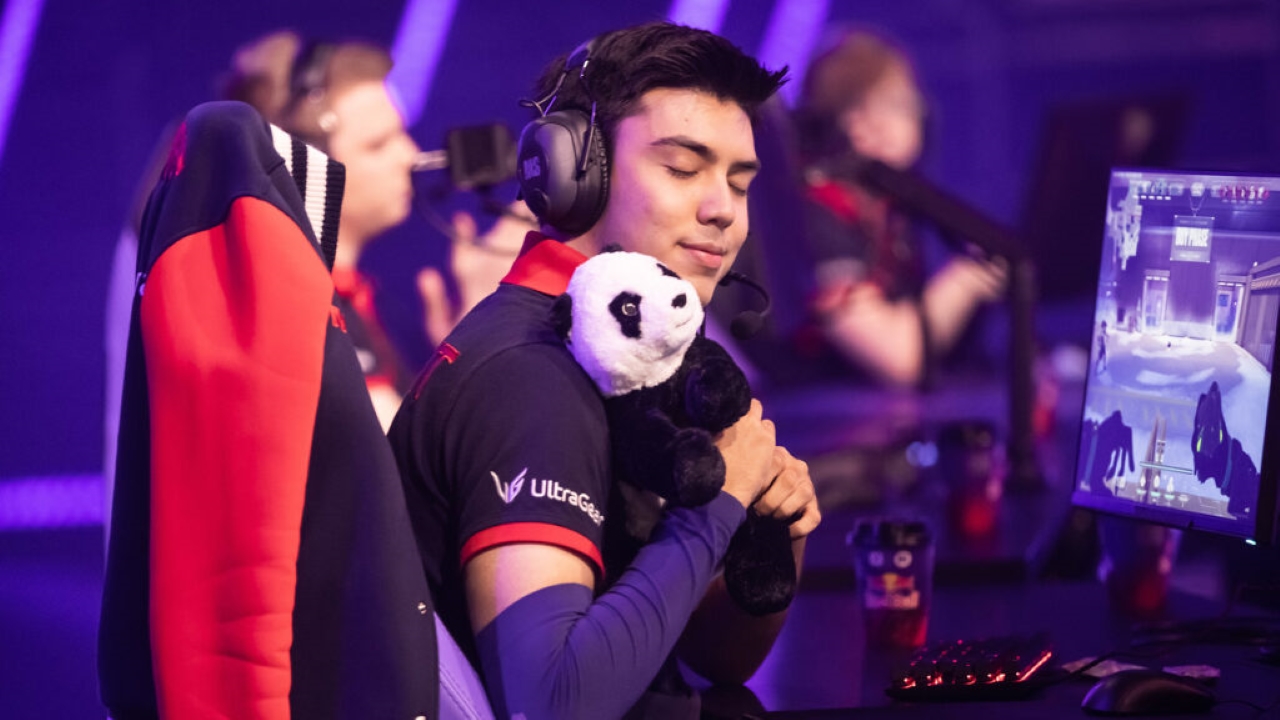
Team Liquid nAts is one of the best players in Valorant right now. He was previously on GMB and then M3C before making the transfer.
nAts is one of the hottest names in Valorant regarding the upcoming VCT 2023 season. He joined Team Liquid at the end of 2022 and started preparing for tournaments with big names like Jamppii and soulcas and his former but current teammate Redgar. Let us look at his Valorant settings to determine why he is such a consistent fragger.
Also Read: Valorant New Map Teased on Twitter; Fans expect a Cyberpunk-Esque Map
nAts Valorant Settings
nAts Valorant Crosshair
- Color – Green
- Center Dot – Off
- Outline – On
- Outline Thickness – 1
- Outline Opacity – 1
- Inner Lines – On 1/2/1/2
- Movement and Firing Error – Off
- Outer Lines – Off
Keybinds
nAts has weird keybinds, to say the least. Not of a traditional Valorant player, but it suits his playstyle, and he is comfortable with it. Here is what the keybinds are.
- Walk – L-Shift
- Crouch – Left-Ctrl
- Jump – Spacebar
- Use Object – E
- Equip Primary Weapon – 1
- Equip Secondary Weapon – 2
- Equip Melee Weapon – 3
- Equip Spike – 5
- Equip Ability 1 – Mouse 4
- Equip Ability 2 – 4
- Equip Ability 3 – C
- Ultimate – X
Video Settings
- Resolution – 1920×1080
- Aspect Ratio – 16:9
- Aspect Ratio Method – Fill
- Display Mode – Fullscreen
- Multi-threaded Rendering – On
- Material, Detail, and UI Quality – Low
- Texture Quality – Med
- Vignette and Vsync – Off
- Anti-Aliasing – MSAA 4x
- Anisotropic Filtering – 16x
- Improve Clarity, Distortion, and Bloom – Off
- Cast Shadows – On
Mouse Settings
The sensitivity settings are the same as most professional players as they do not use a high sensitivity. This makes it easier for their aim to stay true rather than bounce around.
- DPI – 800
- Sensitivity – 0.49
- eDPI – 392
- Zoom Sensitivity – 1
- Hz – 1000
- Windows Sensitivity – 6
- Raw Input Buffer – Off
Map Settings
- Rotate – Rotate
- Fixed Orientation – Based on Side
- Keep Player Centered – On
- Minimap Size – 1.2
- Minimap Zoom – 0.655
- Minimap Vision Cones – On
- Show Map Region Names – Always
These are all the main settings that you should be aware of. Would you change your Valorant settings based on these? Is nAts your favorite Team Liquid member? Let us know in the comments below!
Also Read: Valorant: How to Win More Ranked Games according to SEN TenZ
About the author


-
Gautham Balaji •
Cyberpunk 2077 Romance Guide: How to Romance with Panam Palmer or Judy Alvarez in Cyberpunk 2077?
-
Tanmaiy Reddy •
Valorant Error Code 46 and 39: What do these error codes mean and how to fix them
-
ch33n1 L4NC3L077 •
“You’re probably the best player I’ve ever faced”, Liquid Scream replied to TenZ after KRU Esports pulled one under Sentinels at Valorant Champions 2021.
-
Gautham Balaji •
Dota 2 Heroes: Top 5 heroes with the highest win rate this week in Dota 2 games
-
Aaryanshi Mohan •
Valorant Champions 2023 bundle: Release date, price and more
-

Gautham Balaji •
Call of Duty Mobile News: Developers tease of Night Mode & Hackney Yard Map in Season 12 update