


T1 Steel Valorant settings: Gear, Mouse Sensitivity, Crosshair, Key binds, Graphics, Video Settings.

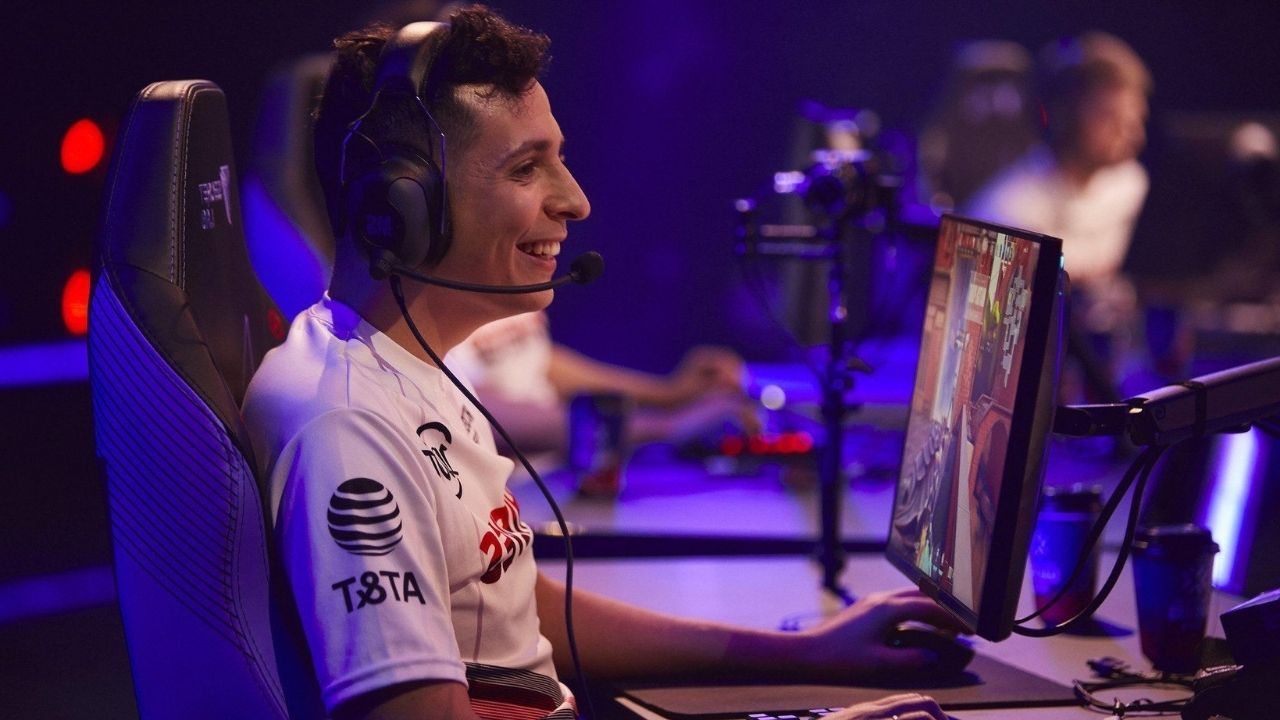
Take a look at the T1 Steel Valorant settings and gear, which he used while playing against some of the best teams in NA.
Joshua “steel” Nissan is a professional Valorant player. He is currently the IGL(In-game leader) for the T1 Valorant roster. However, his journey to the T1 roster was a roller coaster ride.
He initially started his professional career in CS: GO, where he played for teams such as IBUYPOWER and Torqued. However, he got a permanent ban from competing in Valve-backed events due to his involvement in the IBUYPOWER match-fixing scandal.
Due to this, he made his shift to Valorant. Where he joined 100 Thieves at the beginning of the Valorant Competitive scene. However, after some internal issues, he was benched and made a free agent. Which led to him joining T1’s valorant roster.
Also Read: Streamer News: Youtube ambles on towards Twitch as Valkyrae signs a deal of continuity.
T1 Steel’s Gear
- Monitor: BENQ XL2546
- Keyboard: RAZER HUNTSMAN V2 TKL
- Mouse: RAZER DEATHADDER V2 PRO
- Mousepad: HYPERX FURY S PRO
- Headset: RAZER BLACK SHARK V2 PRO
- Graphics Card: NVIDIA GEFORCE GTX 1080
T1 Steel Valorant in-game Settings
Steel’s Mouse settings
- Mouse DPI – 800
- In-game Sensitivity – 0.5
- eDPI – 400
- Scoped Sensitivity – 1
- Polling Rate – 1000
Steel Valorant Crosshair settings
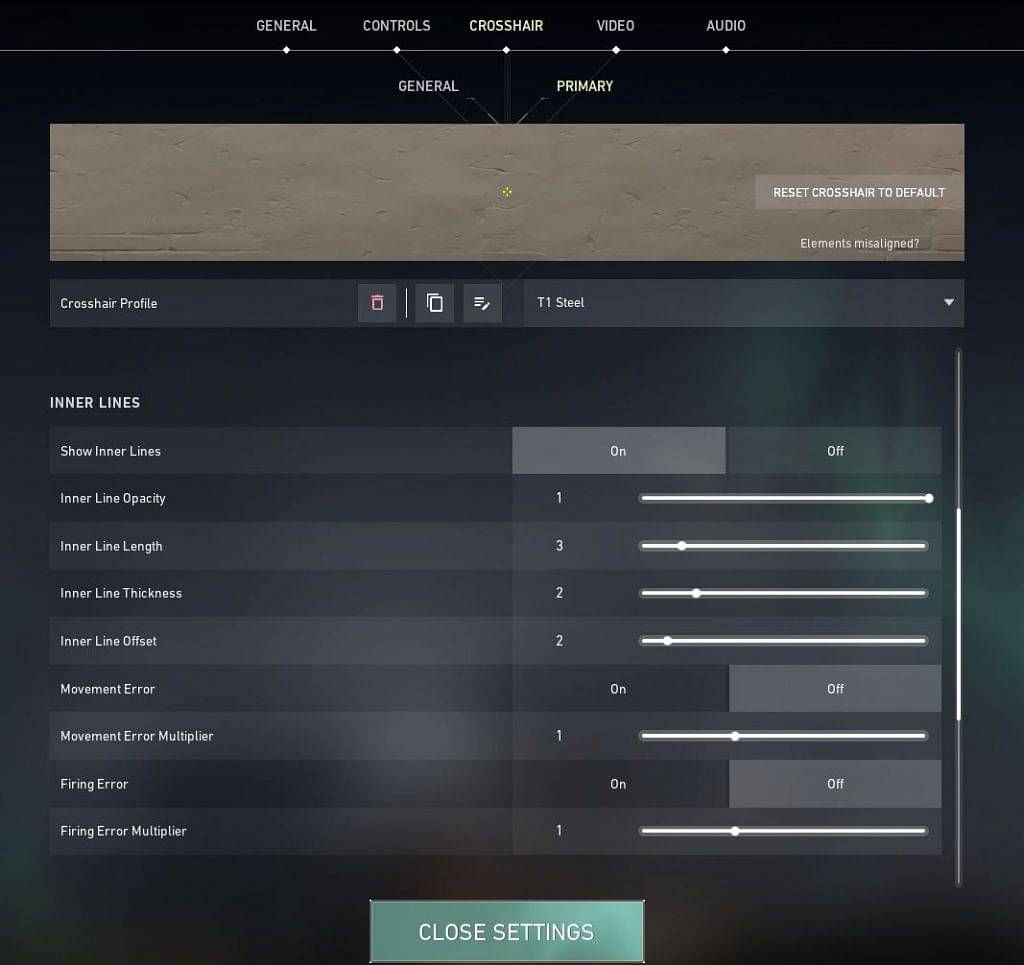
- Crosshair Color: Yellow
- Center Dot: Off
- Outlines: Off
- Inner Lines: On
- InnerLine Opacity: 1
- Inner Line Length: 3
- Inner Line Thickness: 2
- InnerLine offset: 2
- Outer Lines: Off
Steel’s Valorant Keybinds
- Walk: L-Shift
- Crouch: L-ctrl
- Jump: Space Bar
- Use Object: F
- Primary Weapon: 1
- Secondary Weapon: 2
- Melee Weapon: 3
- Equip Spike: 4
- Ability 1: T
- Use Ability 2: F
- Ability 3: C
- Use Ultimate Ability: X
T1 Steel Video Settings
- General
- Display – Fullscreen
- Resolution – 1920 x 1080
- Frame Rate Limit – Unlocked
- Graphics Settings
- Material Quality – Medium
- Texture Quality – Medium
- Detail Quality – Medium
- UI Quality – Low
- Vignette – On
- VSync – Off
- Anti-Aliasing – 2x
- Anisotropic Filtering – 2x
- Improve Clarity – Off
- Bloom – Off
- Distortion – Off
- Cast Shadows – Off
About the author

-
Yuvansh Ruia •
KAY/O, the newest Initiator class agent launched by Riot Games in Valorant is not meeting the expectations of the players.
-
Tanmaiy Reddy •
Valorant Jett “Unintentional” Nerf finally gets patched, with a new update
-

Adnan Juzar Kachwala •
All of the Rosters Confirmed for VCT 2024: Americas, Pacific and EMEA
-
Gautham Balaji •
Valorant Episode 2 Act 1 Competitive changes: You can now find out how close you are to ranking up
-
ch33n1 L4NC3L077 •
Xiao8 betting allegations: Xiao8, the Dota 2 Coach of PSG.LGD, has been accused by his ex-wife of betting against his own team in the TI10 finals
-
ch33n1 L4NC3L077 •
CSGO BLAST Premier Spring Groups Day 2: OG wins Group B.