


Crashies Valorant settings: Gear, Mouse Sensitivity, Crosshair, Key binds, Graphics, Video Settings

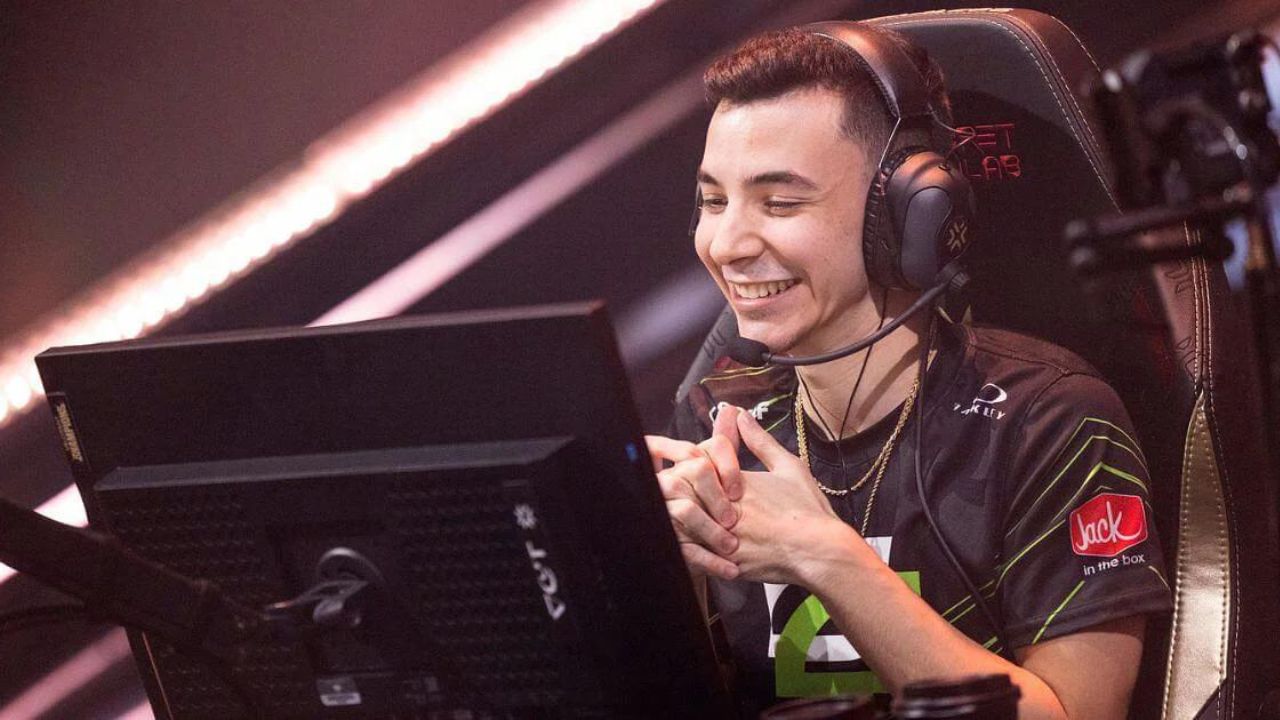
Take a look at the Valorant settings of OpTic gaming’s one of the most impactful and big brain initiators, Crashies.
Austin “crashies” Roberts is an American professional VALORANT player, currently playing for OpTic Gaming. He started off his esports career in Counter-Strike: Global Offensive, where he mostly played in Tier 2 and Tier 3 tournaments before retiring to join the Valorant wagon.
He made his debut in Valorant through T1, which he left in September 2020 to join Envy, now known as OpTic gaming. Since joining envy Crashies has gained a lot of fame due to his skills and his resilience. And ever since the beginning of 2022 he and his teammates have been dominating the Valorant competitive scene.
2-1 vs @TeamLiquid
crowd is amazing:)
shout out to @Crashies powered through some food poisoning today. was throwing up in between matches. crazy teammate and player
— OpTic yay (@yayFPS) September 10, 2022
Also Read: Valorant Champions Playoffs Day 3: Schedule, Teams, and what’s on the line
Crashies’s Gear
- Monitor: ZOWIE XL2546
- Keyboard: Razer BlackWidow V3 TKL
- Mouse: Razer Deathadder V3 Pro
- Mousepad: Razer Strider
- Headset: Razer BlackShark V2
- Graphics Card: NVIDIA GeForce GTX 1080
Crashies Valorant in-game Settings
Crashies Mouse settings
- Mouse DPI – 800
- In-game Sensitivity – 0.25
- eDPI – 200
- Scoped Sensitivity – 0.875
- Polling Rate – 1000
Crashies’s Valorant Crosshair settings
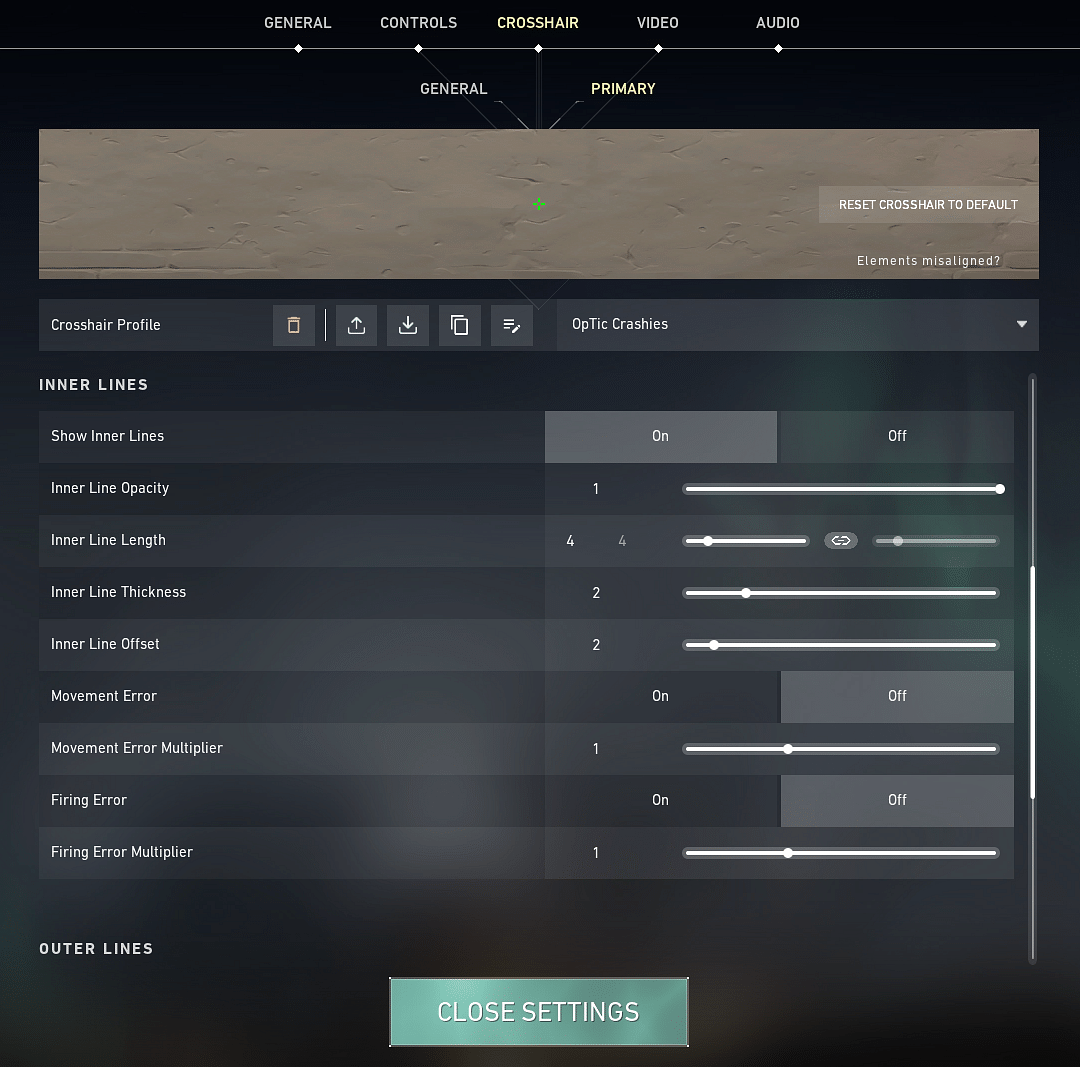
- Crosshair Color: Green
- Center-Dot: Off
- Outlines: Off
- Inner Lines: On
- InnerLine Opacity: 1
- Inner Line Length: 4
- Inner Line Thickness: 2
- InnerLine offset: 2
- Outer Lines: Off
Also Read: Valorant Night Market: When will we get to see the next Night Market go live?
Crashies Valorant Keybinds
- Walk: L-Ctrl
- Crouch: L-Shift
- Jump: Space
- Use Object: F
- Primary Weapon: 1
- Secondary Weapon: 2
- Melee Weapon: 3
- Equip Spike: 4
- Ability 1: E
- Use Ability 2: Q
- Ability 3: C
- Use Ultimate Ability: X
Crashies’s Video Settings
- General
- Display – Fullscreen
- Resolution – 1920 x 1080
- Frame Rate Limit – Unlocked
- Graphics Settings
- Multithreaded Rendering: On
- Material Quality – Low
- Texture Quality – Low
- Detail Quality – Low
- UI Quality – Low
- Vignette – on
- VSync – Off
- Anti-Aliasing – MSAA 4x
- Anisotropic Filtering – 8x
- Improve Clarity – On
- Bloom – On
- Distortion – On
- Cast Shadows – On
Also Read: New Valorant Skin Bundles “Kohaku & Matsuba”: Release date, Prices, Variants, and more
By the way, don’t forget to check out Crashies live on his twitch channel.
About the author

-
The SportsRush Desk •
“Speed run, Speed run”: Sykkuno brilliantly plays as the Snitch in new Among Us mod
-
Tanmaiy Reddy •
“I don’t buy skins just to have it, or temporarily use it”: Sentinel Tenz talks about his overall decision making when it comes to Valorant skins
-
Tanmaiy Reddy •
NA VCT Main Event: Here are the first two teams to qualify for the main event from Open Qualifiers 2
-
ch33n1 L4NC3L077 •
China Dota 2 news: Chinese Dota 2 circuit starts its own TI, The Internet, following years of Dota 2 TI woes.
-
Aaryanshi Mohan •
Valorant LOCK//IN capsule bundle release date, price and bundle details
-
Adnan Juzar Kachwala •
How to Win Eco Rounds in Valorant