


Nivera Valorant Settings (2023): Crosshair, Configuration, Keybinds and Sensitivity!

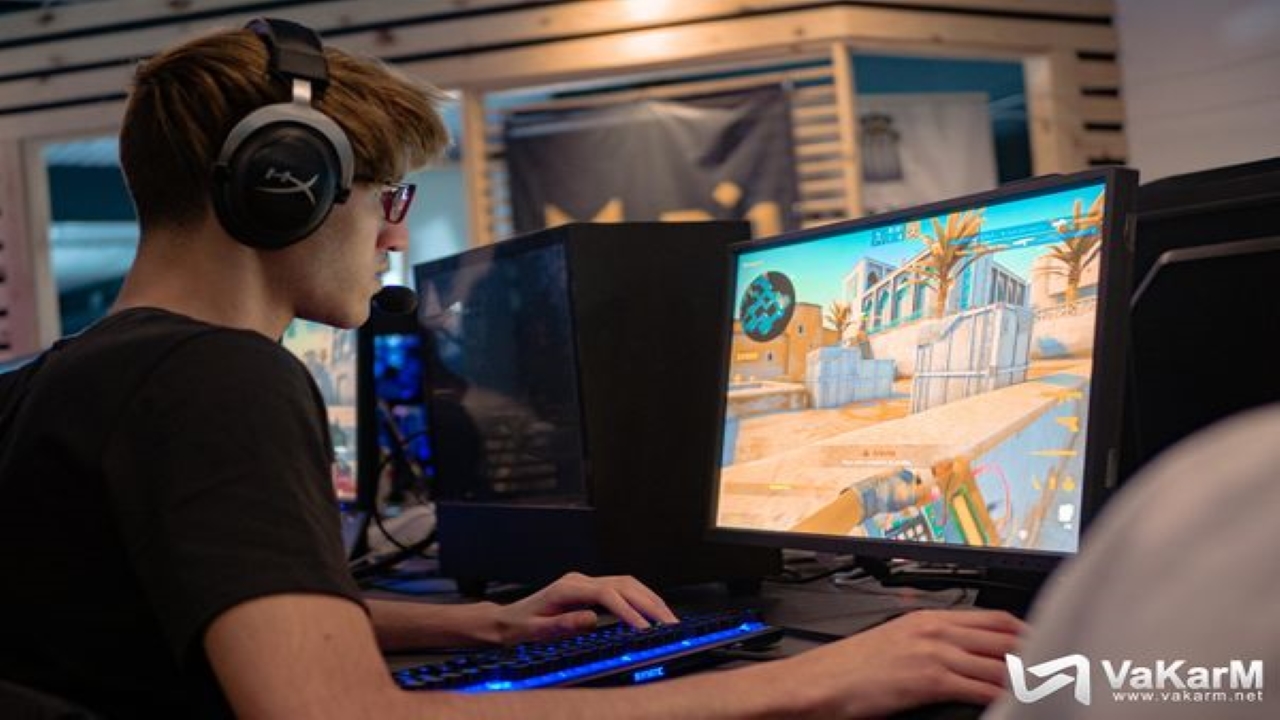
Today we will be looking at the Valorant settings for Nivera. He was instrumental in KC’s performance in VCT LOCK IN. Details below.
Nivera is ScreaM’s brother. So it is natural that his skill will be in Nivera’s genes as well. However, in VCT LOCK IN, he was moved past ScreaM’s shadow and showcased himself as a great support player/awp’er who can have just as much impact, if not more than his brother. Unfortunately, Karmine Corp was eliminated by LOUD in a match where Nivera had a lot of impact. That is why, to honor that performance, let us take a look at Nivera’s crosshair, sensitivity, and more.
Also Read: G2 ShahZam Valorant Settings (2023): Crosshair, Configuration, Keybinds, and Sensitivity!
What is the Sensitivity for Nivera in Valorant? Crosshair, Video Settings, and More!
Nivera joined Team Liquid’s Valorant team. Team Liquid had a lot of success due to Nivera’s insane playing ability. However, let us take a look at his crosshair and sensitivity first. Then we will deep-dive into his video settings and graphics.
Crosshair
- Color: White
- Outlines: On
- Outline Opacity: 1
- Outline Thickness: 1
- Inner lines: ON 1/2/1/2
- Firing and Movement Error: Off
- Outer Lines: Off
Mouse Sensitivity
Nivera has mentioned previously that he prefers a lower sensitivity. That is why, his sensitivity is much lower than most Valorant players; however, it is balanced out by a high DPI.
- Sensitivity: 0.173
- DPI : 800
- eDPI: 138.4
- Hz: 1000
- Scoped Sensitivity: 1
- Windows Sensitivity: 6
- Raw Input Buffer: On
Keybinds
- Walk: L-Shift
- Crouch: L-Ctrl
- Jump: Space Bar
- Use object: F
- Primary Weapon: 1
- Secondary Weapon: 2
- Melee Weapon: 3
- Spike: 4
- Ability 1: F
- Ability 2: A
- Ability 3: C
- Ultimate: X
Minimap Settings
- Rotate: Rotate
- Fixed Orientation: Based on Side
- Keep Player Centered: On
- Minimap Size: 1.1
- Minimap Zoom: 0.9
Video Settings
- Display Mode: Fullscreen
- Resolution: 1280×960
- Multithread Rendering: On
- Material, Texture, UI, and Detail Quality: Low
- Vignette and Vsync: Off
- Anti Aliasing: MSAA 4x
- Anisotropic Filtering: 4x
- Improve Clarity: Off
- Bloom: Off
- Distortion: Off
- Cast Shadows: Off
By tweaking these settings, one can adopt a Nivera-centric Valorant experience. No pro player’s setup is perfect for you, so mix and match to see what fits you the best. For more Valorant Crosshair and Sensitivity content, stay tuned at The SportsRush!
Also Read: Hogwarts Legacy Timeline Explanation: Does it Take Place Before Harry Potter?
About the author


-
Adnan Juzar Kachwala •
How to Use Chamber Effectively in Valorant
-
Arnab Mukherjee •
Does Dr DisRespect speak Mandarin?
-
Adnan Juzar Kachwala •
SEN Zekken Crosshair, Video Settings and Mouse Sensitivity: See what the Sentinel’s Newest Duelist Uses
-
Gautham Balaji •
Navi Dota 2 Roster : Natus Vincere picks up FlyToMoon’s roster on trail basis to compete in ESL One Germany
-
Gautham Balaji •
CoD Black Ops Cold War Best FPS Settings : The best settings to improve your FPS in CoD Black Ops Cold War
-

Aaryanshi Mohan •
Valorant Night Market February 2023: Date, time, what to expect